
Documents
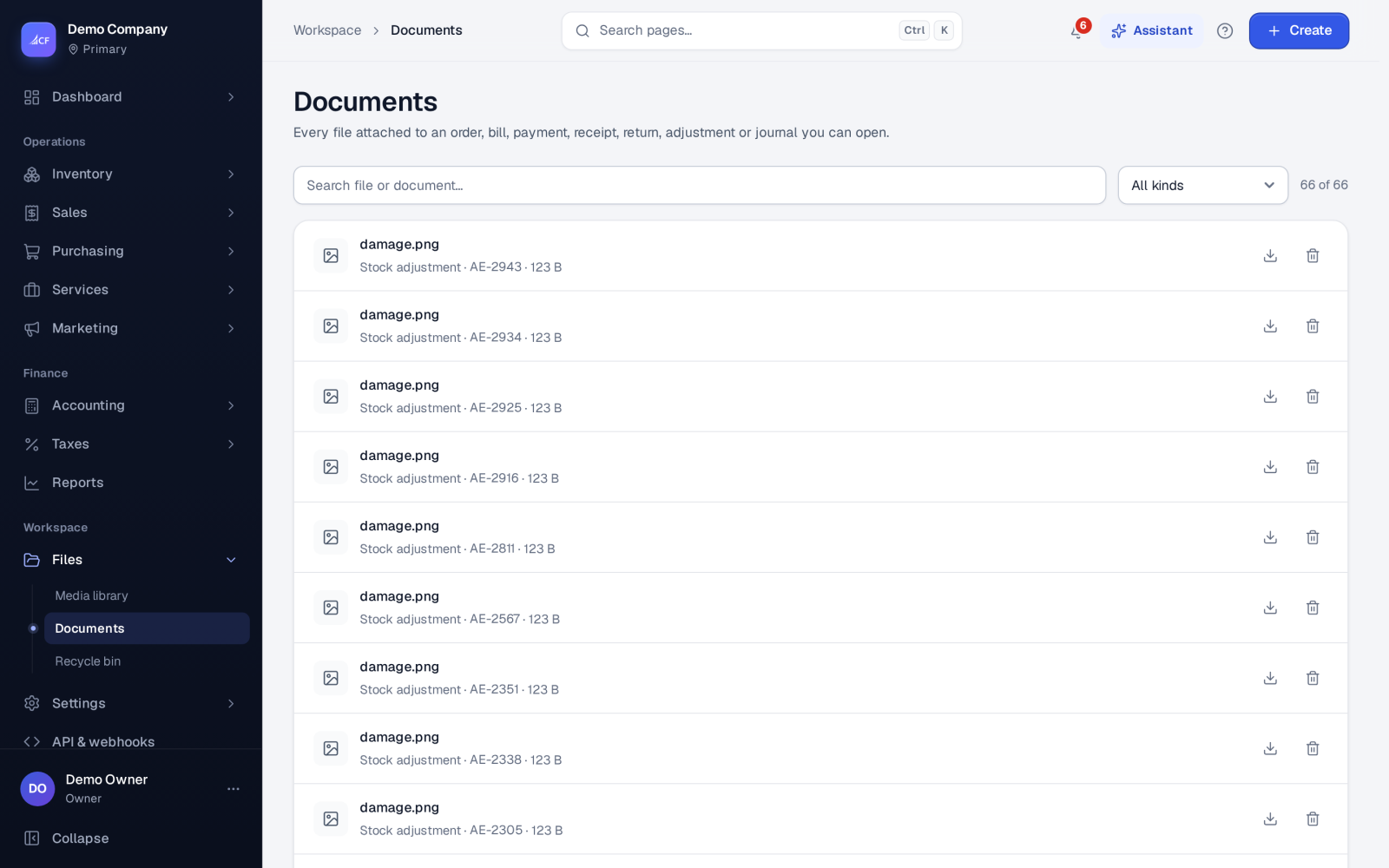
Every file attached to an order, bill, payment, receipt, return, stock adjustment or journal, in one list you can search, filter, open and download.
What it is
Documents gathers every file attached to a document in one list: a supplier's delivery note on a receipt, a signed order, a photo of damaged goods on a stock adjustment, a bank slip on a payment. You see the file, the kind of document and its number, with a link to open the document itself. You can search, filter by kind, download a file, and delete one you no longer need.
You only see files on documents you may open, and the files are kept in your business's own private folder.
Who it is for
- Accountants and auditors who need the paper behind a transaction.
- Purchasing and warehouse staff who attach delivery notes and photos.
- Owners who want every supporting file in one place.
Before you start#
- Opening Documents needs its view right. The list shows only files on the kinds of documents you may open.
- Deleting a file needs the Documents delete right and the delete right on that kind of document.
Step by step#
- Attach files on the document itself: open a sales order, purchase order, payment, stock adjustment, journal or another document with an attachments section and add the files.
- Open Files › Documents.
- Choose a Kind of document, or use Search file or document….
- Press the document number to open the document, or Download to get the file.
- Choose Delete to remove a file you no longer need, and confirm.
Which documents#
| Area | Kinds of document |
|---|---|
| Selling | Sales order, Delivery order, Sales payment, Sales return |
| Buying | Purchase order, Purchase receipt, Purchase bill, Bill payment, Purchase return |
| Stock | Stock adjustment, Stock reconciliation, Material issue |
| Accounting | Manual journal |
How files are protected#
- Files are stored in your business's own private folder, outside the public web, under names that reveal nothing.
- A file is served only to a signed-in person of your business who may open that kind of document, at that document's location.
- Every download is checked again against the document's own rights. Images open in the browser; other files download.
Files in the assistant#
You can also attach a photo or PDF in the assistant — for example a supplier's bill. It reads it, proposes the document, and with your approval puts the original file on it. See AI assistant.
Limits and what is not there yet#
- The list shows the newest 2,000 files.
- Product, variant and category images are not here; they are in the Media library.
- A deleted file is removed for good; the document itself stays.
Questions#
Why don't I see a file my colleague attached?
You see only files on the kinds of documents you may open, and at the locations you may work in.
Can I attach a file from the Documents page?
Attach files on the document itself; Documents lists them all in one place.
Does deleting a file delete the order or bill?
No. Only the attached file is removed; the document stays as it was.
Which files can I attach?
The attachments section on each document shows which file types it accepts.