
Period close and lock
Close each month with a checklist and reconciliations, soft-close or lock the books by date and by ledger, and close the year the way your auditor expects.
What it is
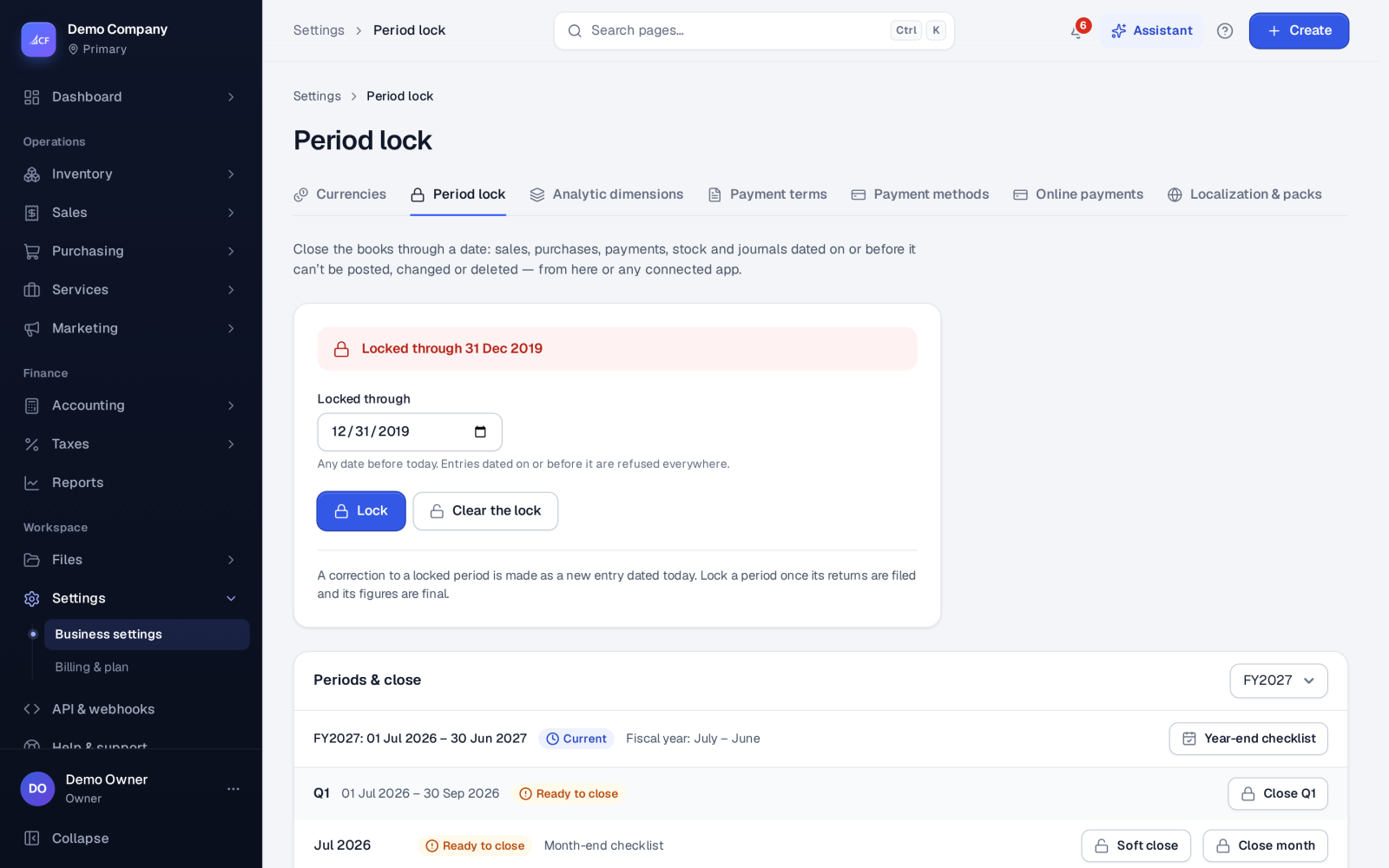
A period lock stops anything dated on or before a date from being posted, edited or deleted. Closing a month locks the books through its last day, so the figures you reported can't move afterwards. Corrections then go into an open period.
The Period lock page shows your fiscal year as quarters and months. Each is Closed, Ended (ready to close), Current or Future, with the progress of its month-end checklist.
Who it is for
- Accountants who close the books each month
- Owners who sign off a period and want it to stay signed off
- Auditors who expect a close checklist and a reason for every waiver
- Businesses that file sales-tax returns and must not change a filed period
Before you start#
- Closing a period and setting the lock is for the owner only.
- Do the month-end work first: bank and other reconciliations in Accounting › Reconciliations, depreciation, FX revaluation and accruals.
- The lock date must be before today. The current period always stays open.
Step by step#
- Open Accounting › Reconciliations, choose the Period, and work through the checklist. Mark each task Done or N/A, or Add a task of your own.
- Open Settings › Period lock and find the month under Periods and close.
- Choose Soft close if you want to stop new sales, purchases and stock entries while adjusting journals can still post.
- Choose Close month (or Close Q1 and so on for a quarter) when the month is final.
- If checklist items are still open, confirm the waiver when asked, or finish them first.
- At year end, open Year-end checklist, then close the year in Taxes › Year-end.
The month-end checklist#
Some tasks are proven by the app itself: every bank and sub-ledger reconciliation reviewed, and the integrity checks clean. Others are ticked by a person: depreciation run, FX revaluation, accruals, the tax return, statements reviewed. Each task has an owner, a due date and a state.
How an incomplete checklist is treated is your choice:
- Advisory — the period closes, and what was open is recorded in the audit log.
- Confirm — the owner confirms an open checklist, and the waiver is audited.
- Strict — only a complete checklist closes the period.
Lock dates#
- Locked through — the hard lock. Nothing on or before it can change.
- Soft-closed through — sales, purchases and stock take nothing new. Adjusting journals still post.
- Sales locked through, Purchases locked through, Stock locked through, Equity locked through, Financing locked through — a lock for each ledger, when one area closes before the others.
- Lock the books through a period when its sales-tax return is filed — filing a return locks its period.
Moving a soft close or a ledger lock back reopens closed periods. The owner is asked to confirm, and it is audited.
Closing the year#
Choose how the year closes:
- Computed — retained earnings follow the fiscal year. No closing entry is needed. This is the common practice, and IFRS needs none.
- Closing entry — closing the year posts the journal that moves each income and expense account into Retained Earnings, for jurisdictions and auditors that expect one.
How it posts to the books#
Closing a month posts nothing. It only locks. A year-end closing entry, if chosen, moves income and expenses into Retained Earnings. Anything that would post into a locked period is refused with the lock date.
Questions#
Someone needs to fix an invoice in a closed month. What now?
Post the correction in the current open period, for example a credit note or a journal. Only the owner can move the lock back, and that is recorded.
What does soft close do that a lock doesn't?
A soft close stops new everyday documents but still lets the accountant post adjusting journals. The hard lock then makes the period final.
Can sales close before purchases?
Yes. Set Sales locked through on its own date while purchases stay open.
Does closing a month close everything before it?
Yes. The lock is one date, so closing a month closes every earlier period too.