
Sales invoicing
Make invoices from orders, deliveries or directly, approve them into the books, send them with an online pay link, and void or credit them correctly.
What it is
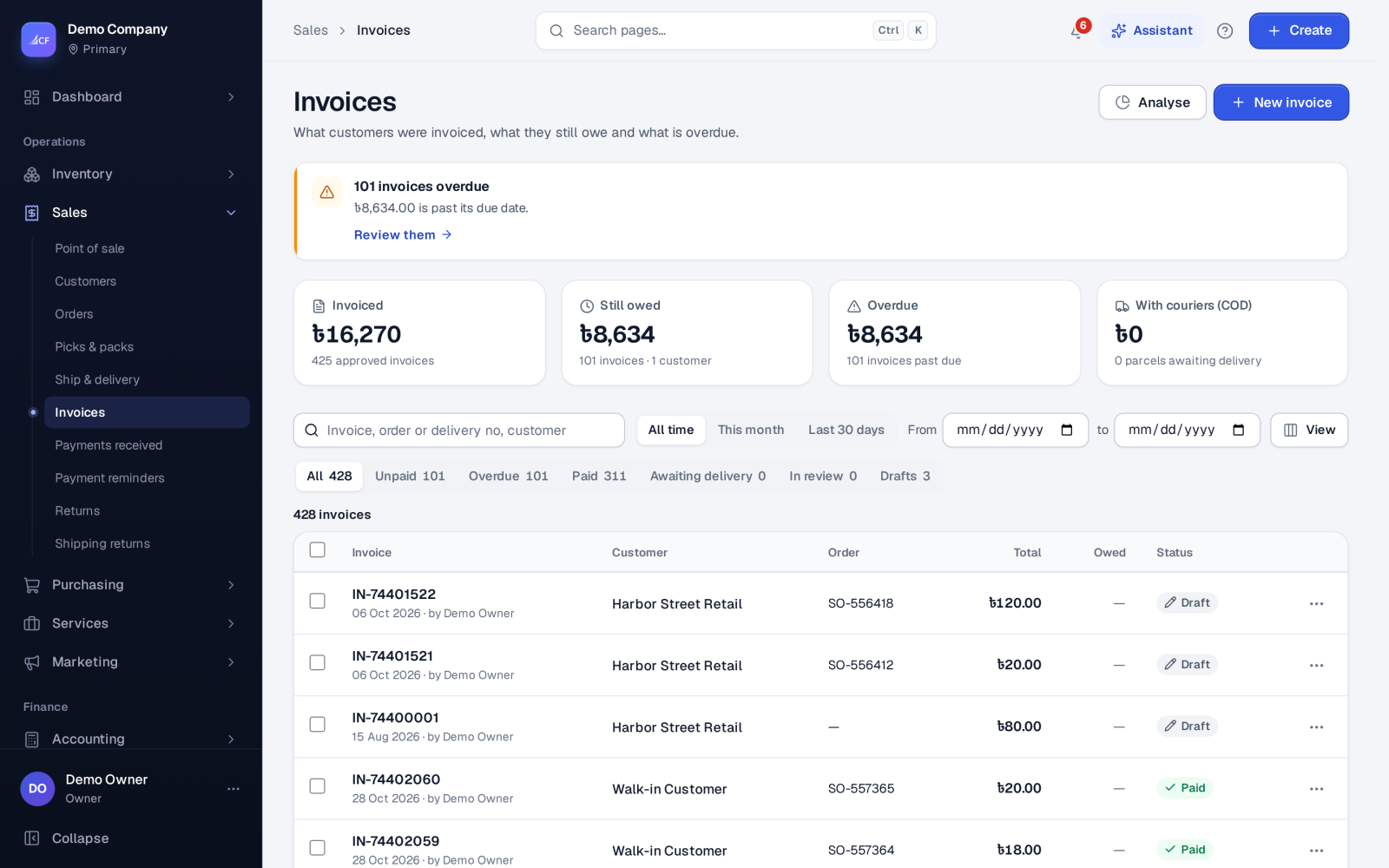
An invoice is what the customer owes you. It is made from an order's pick or delivery, following your sales process, or typed in directly. While it is a draft it posts nothing and can be edited. Once approved it is in the books and owed, and it closes only when it is settled — paid, returned or written off in full.
Who it is for
- Sales and billing staff who issue invoices.
- Accountants who need every sale in the books as it happens.
- Owners who want customers to pay online from the invoice itself.
Before you start#
- Set Invoice approval in Settings › Sales › Approvals: Approve automatically or Approve each invoice by hand.
- Set tax under Settings › Sales › Pricing and tax: Sales tax, Prices exclude tax, Tax before discount, Line discounts, Order discount.
- To let customers pay online, connect a payment provider in Settings › Online payments.
- Adjust the invoice layout in the print studio.
Step by step#
- Make the invoice: Make the invoice on a delivery, the next step on the order's Fulfilment panel, or New invoice on Sales › Invoices for a direct invoice.
- If it is a draft, open Drafts and choose Edit draft… to check prices, discounts, taxes, terms and notes.
- Choose Approve (or let the setting approve it). It now shows in Unpaid.
- Choose Send… to e-mail it, or Print / Download PDF.
- When the customer pays, choose Receive payment… in its row menu.
List views#
| View | Meaning |
|---|---|
| Unpaid | Approved and owed |
| Overdue | Owed and past the due date |
| Paid | Settled |
| Awaiting delivery | A cash-on-delivery invoice waiting for the courier's report |
| In review | A cash-on-delivery parcel reported differently, waiting for a decision |
| Drafts | Not yet approved; post nothing |
Direct invoices#
A direct invoice is typed in with no order first. Behind it the app saves, approves and fulfils an order in one step, so the stock leaves at average cost with its lots and serials and everything posts as for any fulfilled order.
Paying online#
When a payment provider is on, a sent invoice carries a signed link (and the printed invoice a pay-online QR code). The customer sees what is owed, downloads the PDF and pays on your provider's page. The payment is recorded as an ordinary customer payment, so the invoice, the customer's card and the books follow.
Correcting an invoice#
- Draft: edit it; quantities and products of a draft made from a pick go back through the order and pick, so stock stays right.
- Approved: it cannot be edited. Use Return… for goods coming back, or Credit note (no goods back)… for a refund or price allowance.
- Void… cancels a wrong invoice with a reason: Issued by mistake, Duplicate, Wrong customer / supplier, Wrong amount or items, Reissued with corrections, or Other. It is never deleted.
- Write off / settle… handles what cannot be collected — see payments and receivables.
- Dispute — stop reminders… keeps an invoice out of payment reminders while you sort it out.
E-invoicing#
Where a tax pack is switched on, invoices can also be issued in that country's e-invoice format. National profiles are built to the published specification, not certified.
How it posts to the books#
On approval: Dr Accounts Receivable (what is owed) and Dr Unearned Revenue (any advance it uses) / Cr Sales and Cr Sales Tax. The cost of goods was posted at the pick. A void reverses the invoice's entries.
Questions#
Can I edit an invoice after it is approved?
No. Return the goods or issue a credit note with no goods back; for a wrong invoice, void it with a reason and issue a new one.
Why is an invoice still open after a payment?
It closes only when settled in full. Anything still owed, after payments, returns and write-offs, keeps it open. Undoing a payment or a return opens it again by itself.
Can one invoice cover several deliveries?
Yes, depending on your process, one invoice can cover the delivered lines of several deliveries of the same order.
What is "Awaiting delivery"?
A cash-on-delivery invoice held until the courier reports the parcel — see COD settlement.