
Fixed assets and depreciation
Register equipment, vehicles and machines, see the depreciation schedule up front, post each period by itself or after approval, and dispose cleanly.
What it is
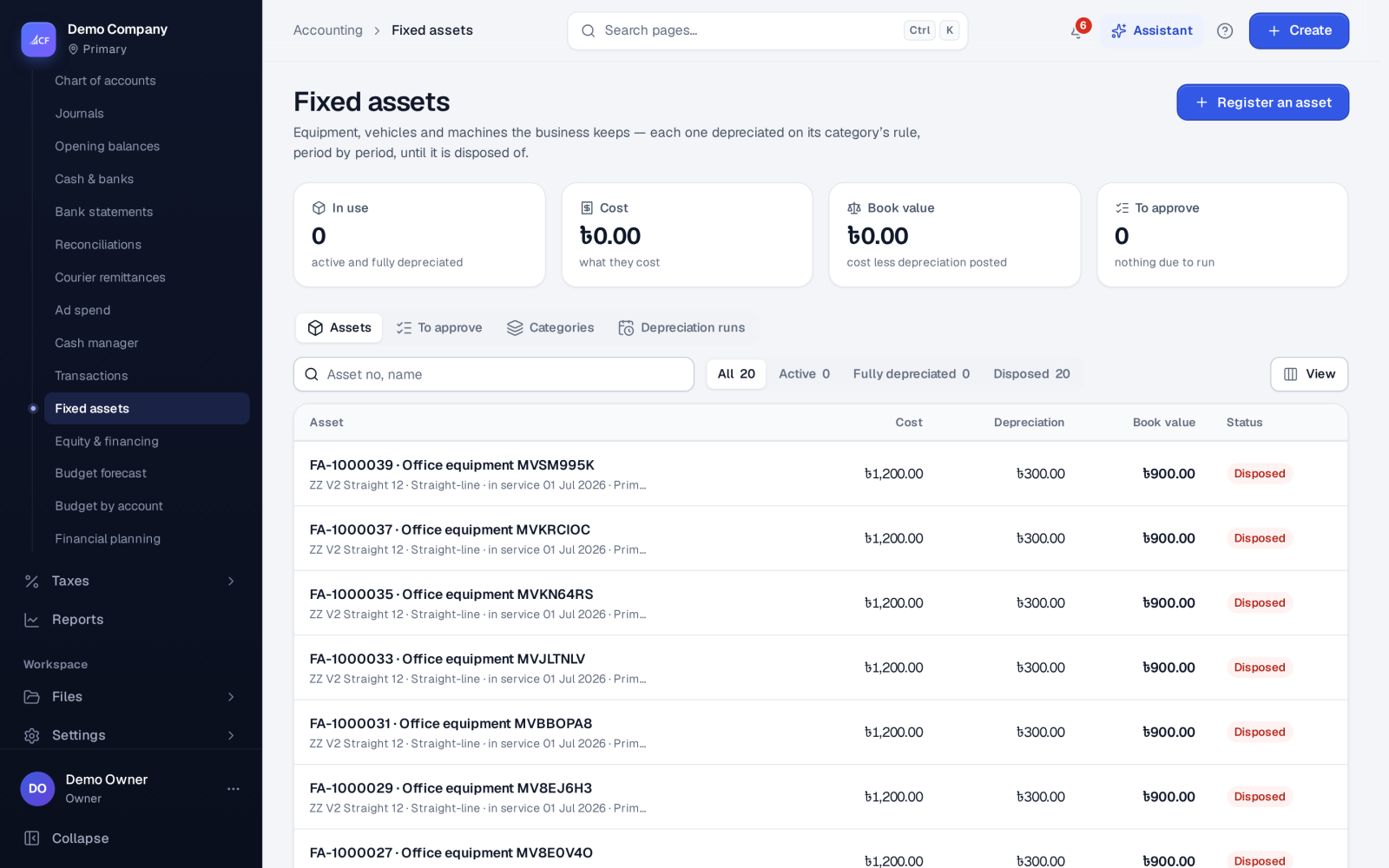
The fixed asset register holds what the business owns and uses for more than a year: equipment, vehicles, machines, furniture. Each asset belongs to a category. The category's depreciation rule is copied onto the asset when you register it, and the full schedule is worked out up front so you can see each period's amount and the book value after it.
Depreciation runs on a schedule you set. Each due period is either posted at once or queued for someone to approve. When an asset is sold, scrapped or written off, disposing of it posts the gain or loss and stops its future periods.
Who it is for
- Accountants who keep the asset register and month-end depreciation
- Owners who want the true book value of what they own
- Businesses that depreciate machines by use (hours, kilometres or pieces)
- Auditors who need each depreciation period approved and traceable
Before you start#
- Set up Categories with their method, useful life, default salvage %, and the asset, accumulated depreciation and expense accounts. Every account must exist in your chart.
- Set the depreciation settings: on or off, How often (Monthly, Quarterly or Yearly), On day, and whether to Post without approval.
- Rights: view; add (register, record usage); edit (dispose, approve, run, settings, categories); delete.
Step by step#
- Open Accounting › Fixed assets and choose Register an asset.
- Choose the Category, then enter the description, location, cost and In service from. Depreciation starts there.
- Check the Method, Useful life (months), Salvage value and Convention (how the first period is counted), taken from the category.
- Under Purchase, choose the account it was paid from to post the purchase now. Leave it as Already in the books (bought on a bill) when a bill already recorded it.
- Check the schedule preview and choose Register.
- When periods are due, they post by themselves, or appear under To approve. There, select them and choose Post selected.
- To sell or scrap an asset, open it and choose Dispose…. Enter the date, the proceeds and the account they went into.
Depreciation methods#
- Straight-line — the same amount each period.
- Declining balance — a rate on the remaining book value (for example 2.0 for double-declining).
- Sum-of-years'-digits — more in the early years, less later.
- Units of production — by use. Enter Units over its life, then Record usage… each period. Each usage becomes a period.
- MACRS (US tax) — by property class.
Running depreciation#
The run picks up every due period for every asset. With Post without approval on, they post. Otherwise they wait under To approve. Run depreciation now runs it at once. Depreciation runs keeps the log of each run, including any that failed and why. If you publish a Depreciation period workflow, its approvers decide.
How it posts to the books#
- Purchase, when posted from the register: Dr the asset account, Cr the cash or bank account it was paid from.
- Each period: Dr depreciation expense, Cr accumulated depreciation.
- Disposal: the cost and accumulated depreciation come off, the proceeds go to the chosen account, and the difference is a gain or loss on disposal. Future periods are skipped.
Limits and what is not there yet#
- A disposal can't be dated in the future, or before periods already posted.
- An asset can be deleted only while nothing of it is posted, for an asset registered by mistake.
- A category in use can't be deleted. Switch it off instead, and it stays on the assets that use it.
Questions#
I bought the asset on a bill. Will it be counted twice?
No. Choose Already in the books (bought on a bill) under Purchase, and only depreciation will post.
Can I change the method after registering?
The rule is copied onto the asset when it is registered, so later changes to the category don't change existing assets. That keeps posted periods consistent.
Why did a depreciation run fail?
Usually an account in the category doesn't exist in the chart. The Depreciation runs log says why.
Can depreciation wait for my approval?
Yes. Turn Post without approval off. Due periods then wait under To approve until someone posts them.