
Payments received and receivables
Record customer payments, control credit, take advances, send payment reminders and write off or provide for dues that cannot be collected.
What it is
This is how money owed to you is collected and followed up: payments received against invoices, credit control before a sale, advances before an invoice, reminders for what is overdue, and an honest way to close what will never be paid.
Who it is for
- Accountants and cashiers who record what customers pay.
- Credit controllers who set limits and chase overdue invoices.
- Owners who want to know who owes what and how late.
Before you start#
In Settings › Sales:
- Credit limit (under Credit control): Off — no check, Warn — the order saves, the page says so, or Block — the order is refused, against the credit limit on each customer's card.
- Advance payments: show it to take money on an order before its invoice, and choose Applying advances to invoices.
- Uncollectable invoices: Direct write-off (an expense when written off) or Allowance (IFRS 9 / ASC 326 — a provision first, write-offs against it), with its Provision matrix of expected loss per aging bucket.
Step by step#
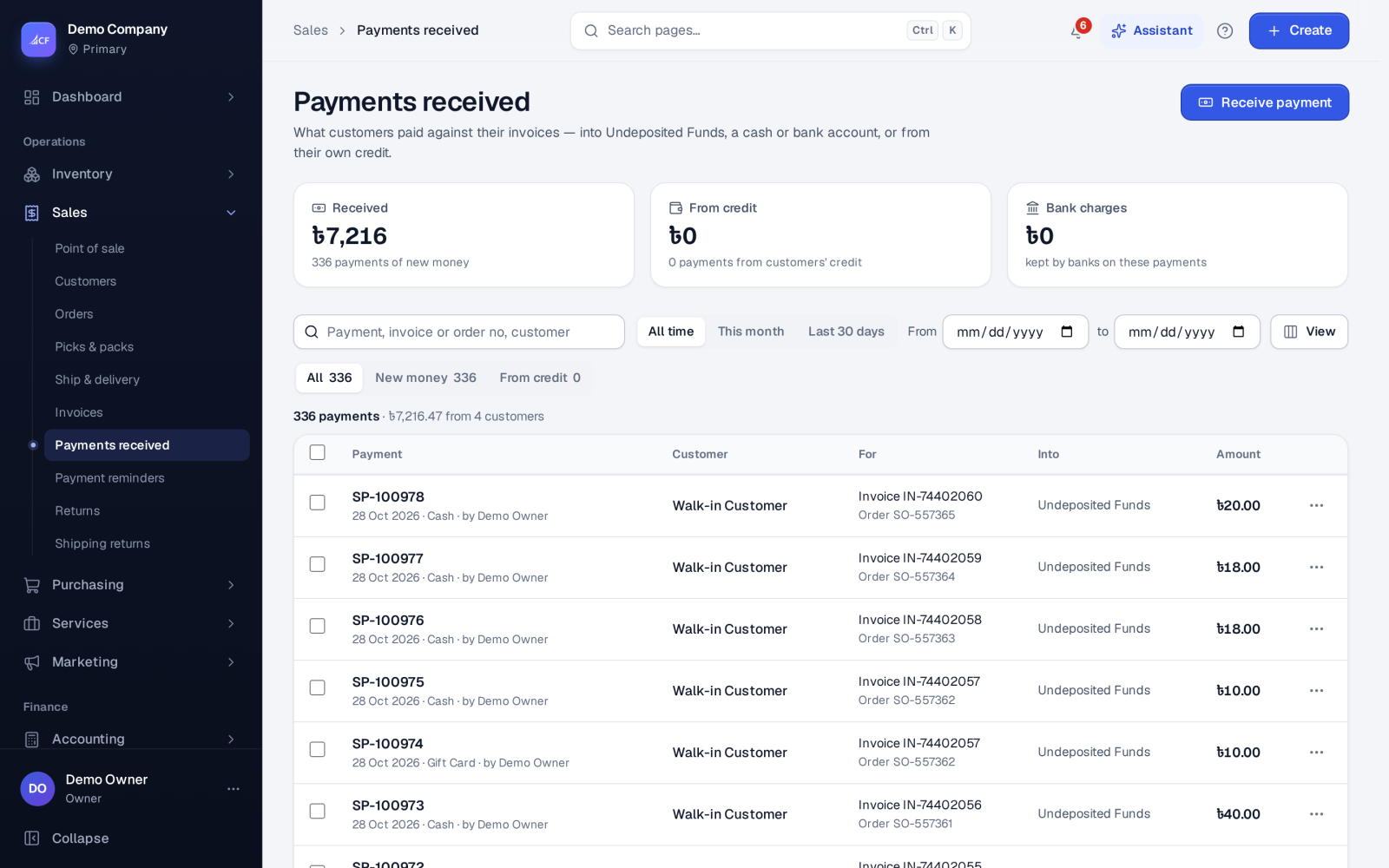
- Open Sales › Invoices and choose Receive payment… on the invoice (or Receive payment on Sales › Payments received).
- Enter the amount — any amount up to what is owed.
- Choose the payment method and the account it went into (Undeposited Funds or a cash or bank account of the location), or pay it from the customer's credit.
- Enter any bank charges the bank kept, and the expense account for them.
- Save. The invoice shows part paid or paid, and the customer owes less.
- Choose Print receipt or Send… on the payment to give the customer a receipt.
Payment reminders#
Sales › Payment reminders sends statements to customers with overdue invoices, by level.
- Levels: from how many days overdue an invoice reaches a level, the letter it sends, and whether it also plans a call. Without your own levels, three defaults apply: 7, 21 and 45 days.
- Run: choose As of, preview who is due, then Send reminders. An invoice is reminded once per level; a customer gets one statement listing all their overdue invoices at the highest new level. E-mails go through the messaging outbox; a customer without an e-mail is marked to print.
- Fees: a level can charge a fixed fee, a percentage of the overdue total, or interest, billed as an ordinary invoice of your fee item.
- Holds & disputes: an invoice under Dispute — stop reminders… or a customer on hold is left out and listed as held.
- Settings: a scheduled run — off, send by itself, or ask the owner first — on chosen weekdays.
Uncollectable dues#
On an approved invoice with something owed, Write off / settle… offers:
- Write off all or part, with a reason: Uncollectable — customer cannot pay; Customer insolvent / bankrupt; Customer deceased; Customer cannot be traced; Settled for less by agreement; Dispute settled — amount waived; Small balance not worth collecting; or Other.
- Settle for less: the cash received now and the rest written off, together.
- Recover: the customer pays after all; the money is recorded as bad debt recovered.
A write-off needs the approve right and your approval limit. With the allowance method, Reports › Provision for doubtful debts applies the provision matrix and posts the allowance.
How it posts to the books#
- Payment: Dr the deposit account / Cr Accounts Receivable. With bank charges, the account takes the net and Bank Fees the charges; the invoice is paid in full.
- From the customer's credit: Dr Customer Balance / Cr Accounts Receivable — no new money.
- Advance on an order: Dr the account / Cr Unearned Revenue — a customer advance, not revenue.
- Write-off: Dr Bad debt expense (direct) or Dr Allowance (allowance method) / Cr Accounts Receivable. Recovery: Dr cash / Cr Bad debt recovered.
Deleting a payment or a write-off is its exact inverse.
Questions#
Where do I see who owes what?
The Unpaid and Overdue views on Sales › Invoices, the customers list's Unpaid invoices view, and the receivables and aging reports in the reports hub.
What does "Warn" do when a customer is over their limit?
The order saves and the page says the customer is over their credit limit. With "Block" the order is refused.
Can a customer pay several invoices at once?
At the point of sale, yes: the customer's account at the till lets one payment settle earlier dues as well as the new sale, in the order the till options set. On Sales › Invoices, each payment is recorded against an invoice.
What if a written-off customer pays later?
Use Recover. The invoice stays settled, and the money is booked as bad debt recovered.