
Financial statements
Profit and loss, balance sheet, cash flow and changes in equity from the live ledger, in an IFRS, US GAAP or your own layout, with comparisons.
What it is
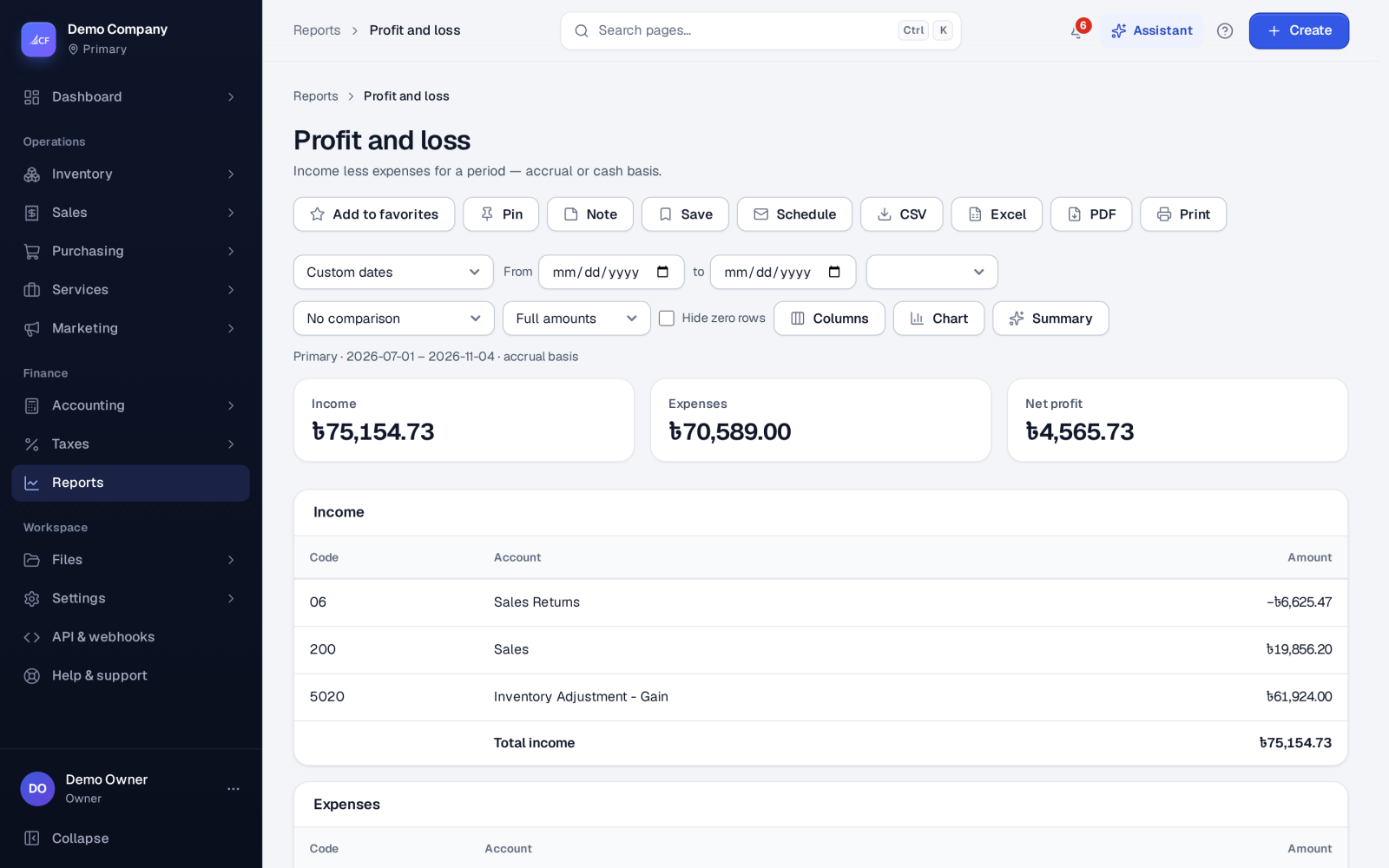
Every document posts to the ledger as it happens, so the financial statements are always current. There is no month-end re-keying. The statements are reports: pick a period or a date, a location where it applies, and Compare with the previous period or last year.
Statements in your layout shows the profit and loss or balance sheet in the layout your business chose: an IFRS or US GAAP template, or your own arrangement of rows.
Who it is for
- Owners who want profit and position without waiting for an accountant
- Accountants preparing statements for directors, lenders or tax
- Auditors who trace a figure back to its entries
- Groups that report several businesses together
Before you start#
- Set your Accounting framework in Settings › General. It sets the captions and policies the statements follow.
- Seeing the statements needs the right on the profit and loss report. Changing statement layouts needs the owner, or the right to edit the chart of accounts.
Step by step#
- Open Finance › Reports and choose Profit and loss.
- Pick the period, the location if you have several, and Compare with the previous period or last year.
- Choose the method: accrual or cash basis.
- Open Balance sheet for what the business owns and owes on a date.
- Open Statements in your layout to see both in your chosen layout.
- Use the toolbar to Print, export to Excel, Schedule the report by e-mail, or Pin as KPI on a dashboard.
The statements#
| Report | What it shows |
|---|---|
| Profit and loss | Income less expenses for a period, accrual or cash basis |
| Profit and loss by period | Month by month or quarter by quarter of your fiscal year, with the total |
| Profit and loss by dimension | Each department, project or cost centre side by side |
| Balance sheet | What the business owns and owes on a date |
| Cash flow statement | Where the cash came from and went in a period |
| Statement of changes in equity | How each part of equity moved: profit, contributions, drawings, dividends, reserves |
| Trial balance | Every account's movements and balance on a date |
| General ledger | Each account entry by entry with its running balance |
| Group profit and loss / Group balance sheet | Your businesses in one currency, intercompany amounts eliminated |
Statement layouts#
The Statement layouts page arranges the rows of the profit and loss and balance sheet:
- Open a Template for your chart, or one of Your layouts.
- Add rows: a Heading, accounts by Class, Account type, Posting role or Codes, a Formula using other rows' short names, an Empty line, or a Bold total.
- Use Preview with a preview period to check it.
- Save as a copy to make it yours, and Make default so Statements in your layout opens with it.
Each save keeps the rows it replaces as a version, the last 10. Restore brings an earlier version back.
How it posts to the books#
Statements post nothing. They read the posted ledger. If your year-end policy posts a closing entry, the profit and loss leaves closing entries out and the balance sheet keeps them.
Limits and what is not there yet#
- Statements show what is posted. Draft documents post nothing, so they don't appear until approved.
- Statements are in your business currency. Group statements bring several businesses into one currency.
Questions#
Do I need a year-end closing entry?
Not by default. Retained earnings are worked out from the fiscal year, which IFRS allows. If your auditor expects a closing entry, choose that year-end policy on the Period lock page.
Can I see profit by branch or project?
Yes. Run Profit and loss for one location, or Profit and loss by dimension for departments, projects or cost centres.
Can the statements be sent to me every month?
Yes. Use Schedule in the report's toolbar to have it e-mailed on a schedule.
How do I find out why a figure changed?
Open the account in the General ledger to see each entry. You can also ask the assistant to explain what changed between two periods.